
Mayhem was successfully redeemed in the supplied screenshot; the player reports a 5,000 Gem reward. 5MVISITS and 1MVISITS each show 10,000 Gems; MONKEYS and SURVIVE each show 1,000. Open Codes at the top-right of the lobby, enter a code and click the green checkmark.
The supplied screenshots show successful redemption for Mayhem, 5MVISITS, 1MVISITS, MONKEYS and SURVIVE. The player reports 5,000 Gems for Mayhem. Use the lobby Codes menu to enter a code and check its result.
On this page
Survive a Million Monkeys codes and screenshot rewards
| Code | Reward | Status | Reviewed |
|---|---|---|---|
| Mayhem | 5,000 Gems (player-reported) | Successful redemption shown; reward reported by player | October 11, 2026 |
| 5MVISITS | 10,000 Gems | Successful redemption shown | October 11, 2026 |
| 1MVISITS | 10,000 Gems | Successful redemption shown | October 11, 2026 |
| MONKEYS | 1,000 Gems | Successful redemption shown | October 11, 2026 |
| SURVIVE | 1,000 Gems | Successful redemption shown | October 11, 2026 |
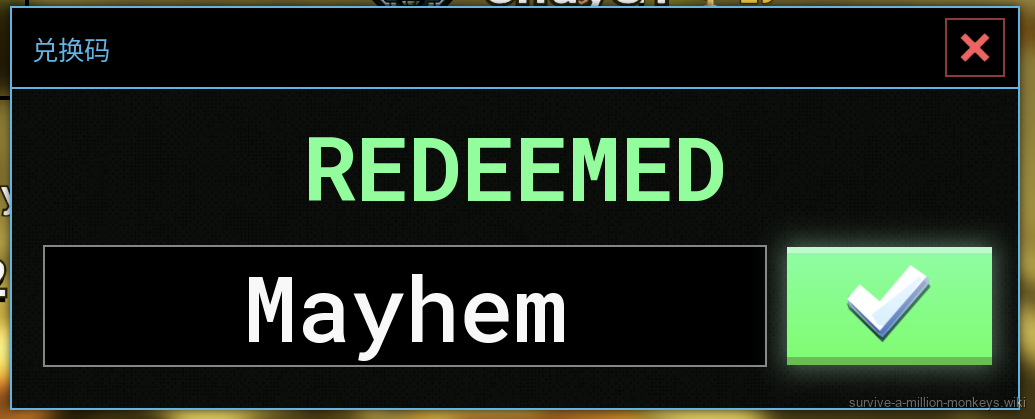
Mayhem redemption succeeded in the supplied screenshot. The player reports 5,000 Gems; the amount is not displayed in this image.
User-supplied screenshot · Source / open if playback failsMONKEYS: official announcement and successful redemption
| Code | Announced reward | Evidence |
|---|---|---|
| MONKEYS | 1,000 gems | Official Roblox description |
How to redeem codes in the lobby
1. In the lobby, click the Codes button at the top-right of the screen. The supplied Chinese-language interface labels it 兑换码; the first screenshot marks its location with a red arrow.
2. Click the text field and enter 5MVISITS exactly as shown, using the digit 5 followed by MVISITS. Click the green checkmark to the right of the field.
3. Look for REDEEMED and +10,000 gems, then compare your gem balance. The supplied example moves from 5,690 to 15,690; your starting balance may differ.
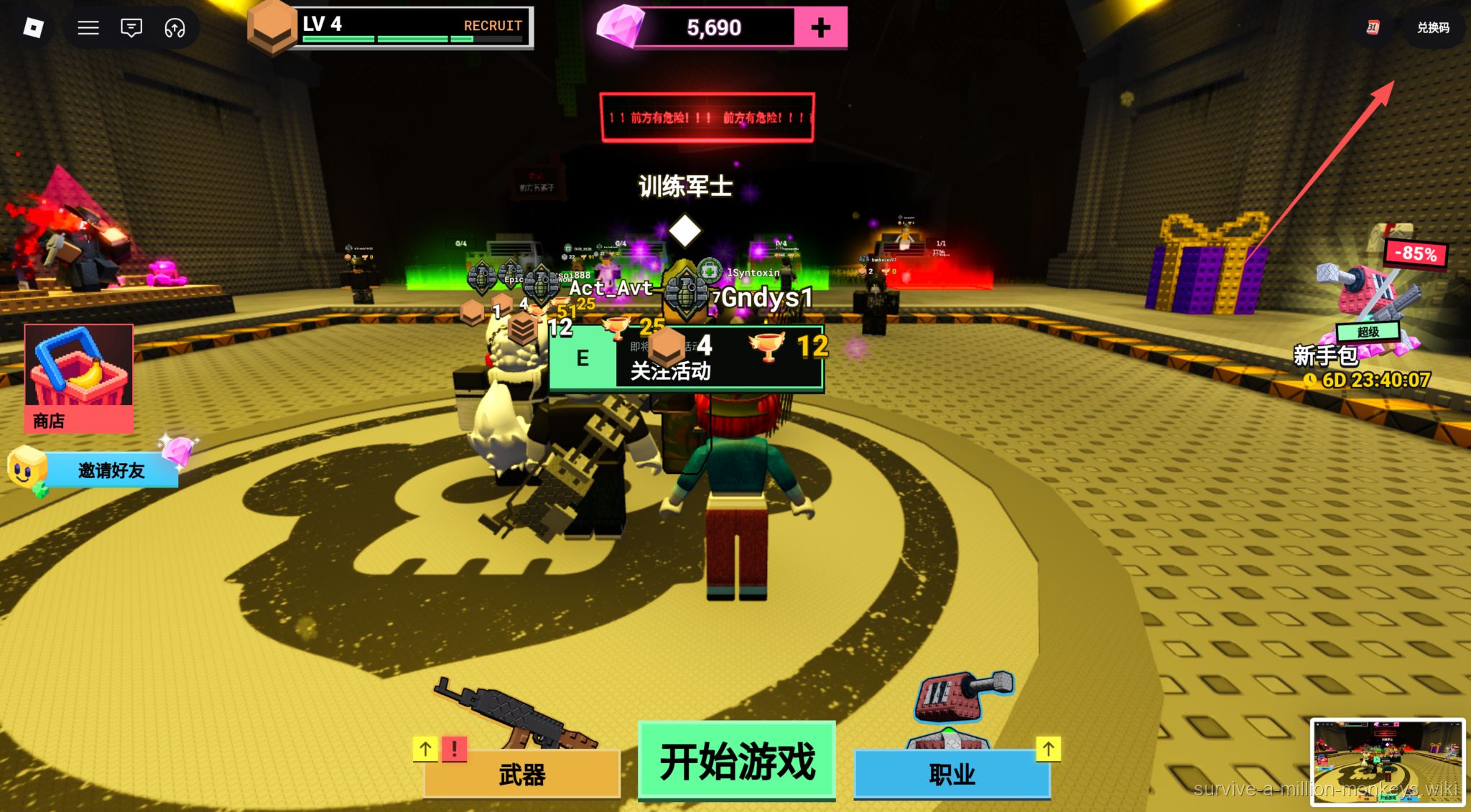
Step 1: open the top-right Codes button (兑换码 in this Chinese interface).
User-supplied gameplay screenshot · Source / open if playback fails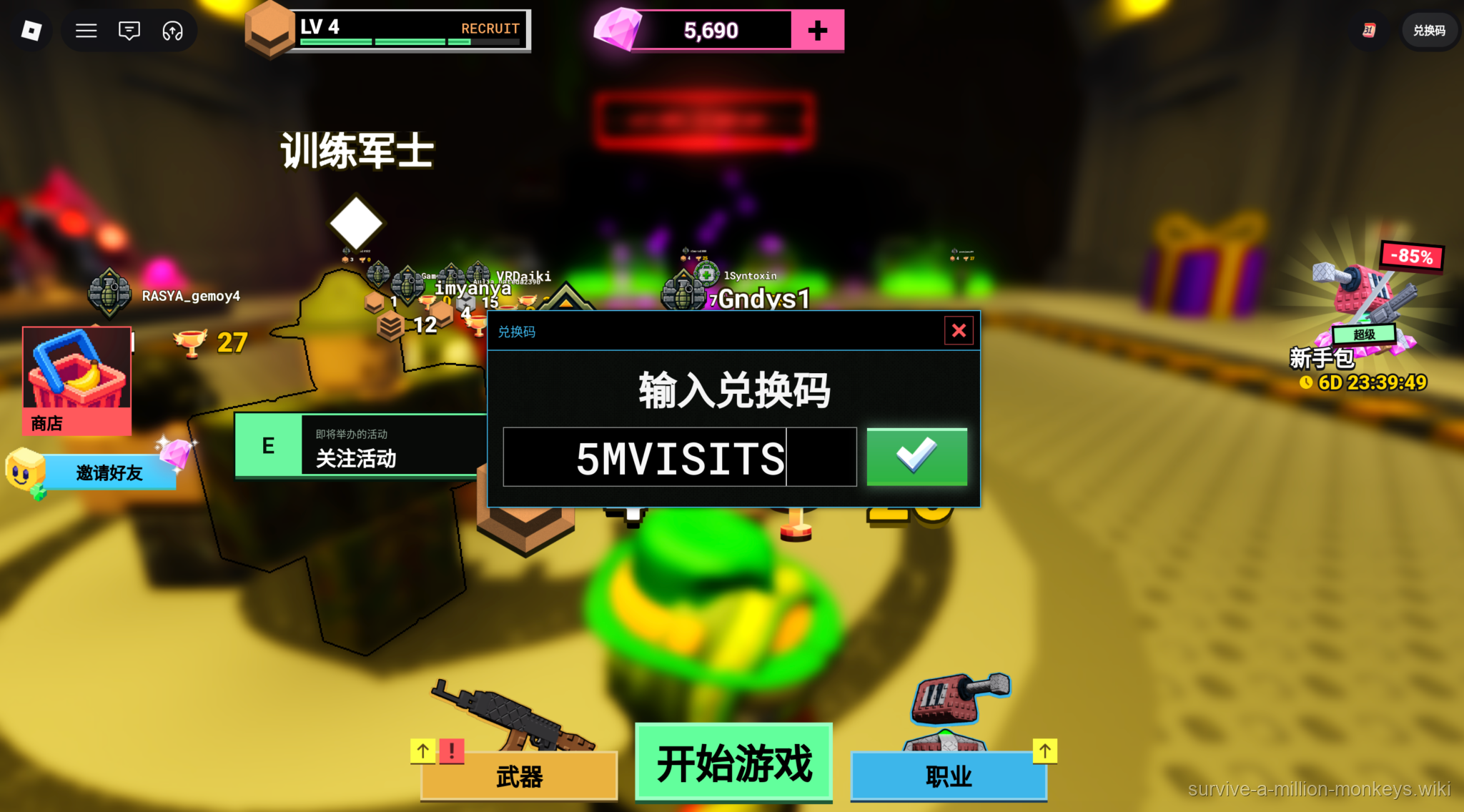
Step 2: enter 5MVISITS and click the green checkmark. The pre-redemption balance is 5,690.
User-supplied gameplay screenshot · Source / open if playback fails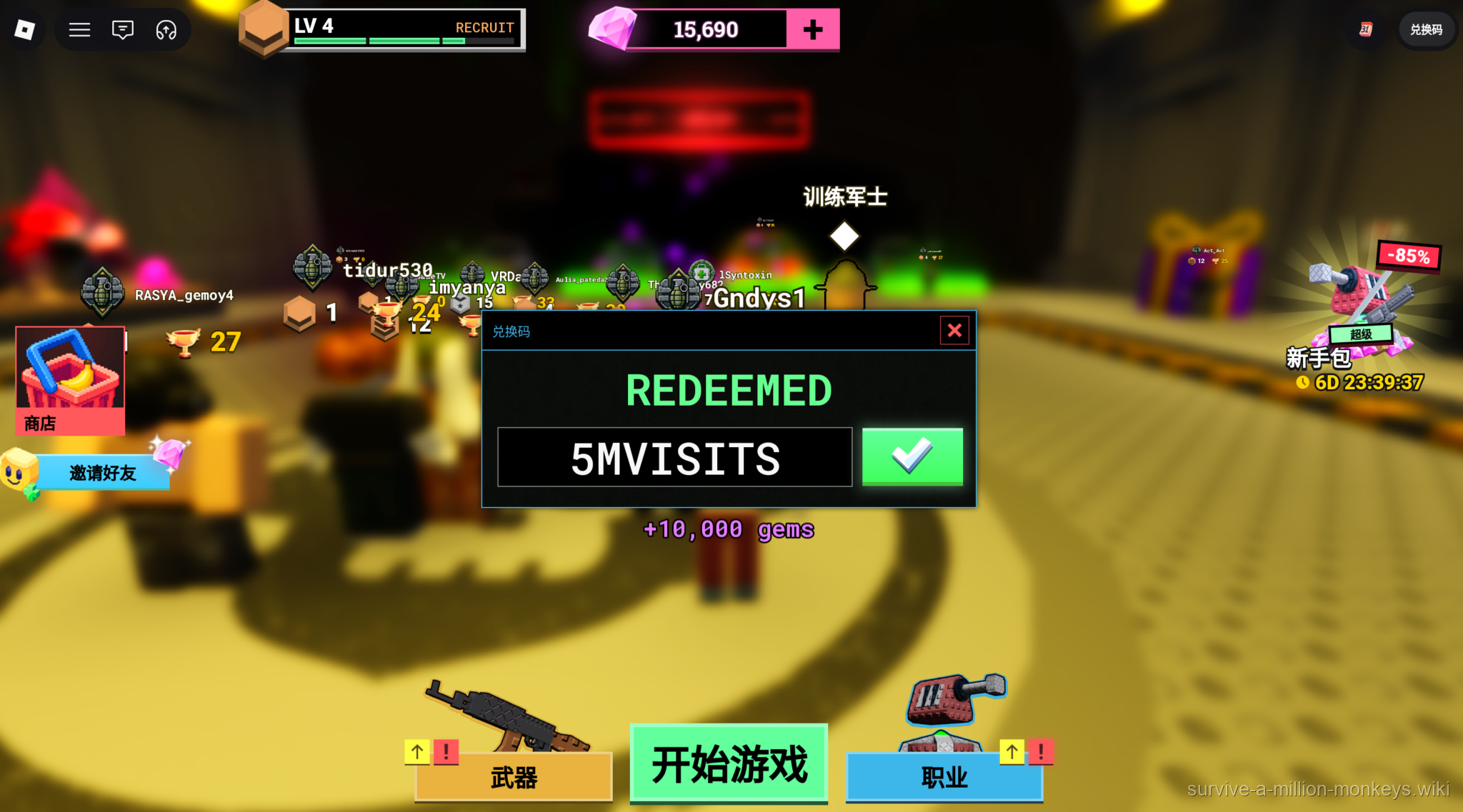
Step 3: confirm REDEEMED and +10,000 gems. The balance is now 15,690.
User-supplied gameplay screenshot · Source / open if playback fails1MVISITS, MONKEYS and SURVIVE success screenshots
Compare the code name, REDEEMED message and gem reward in each screenshot below. 1MVISITS starts with the digit 1; it is a different code from 5MVISITS. The screenshots show the reward popup, but do not expose a before-and-after balance for these three redemptions.
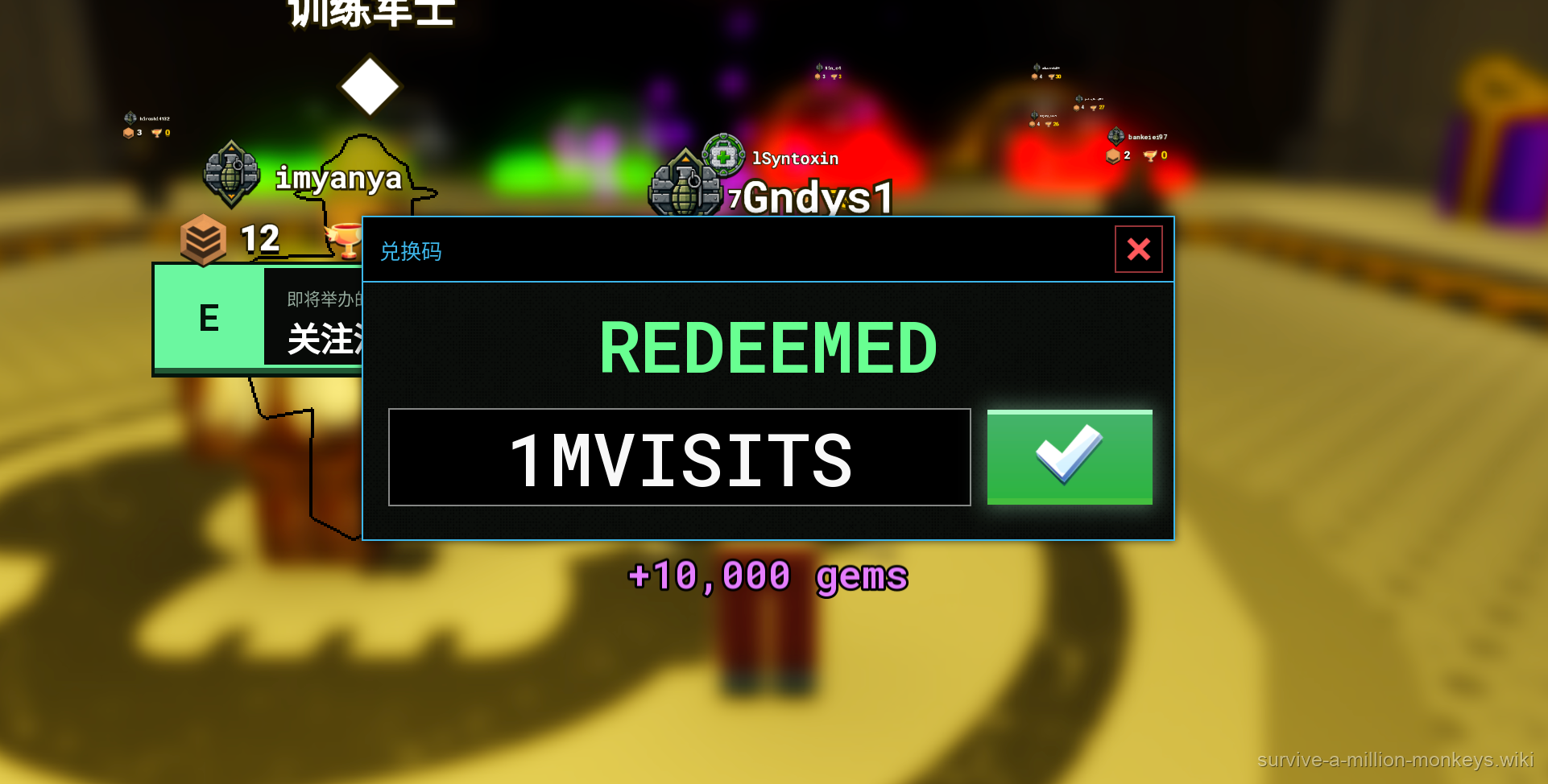
The supplied screenshot shows REDEEMED for 1MVISITS and +10,000 gems.
User-supplied gameplay screenshot · Source / open if playback fails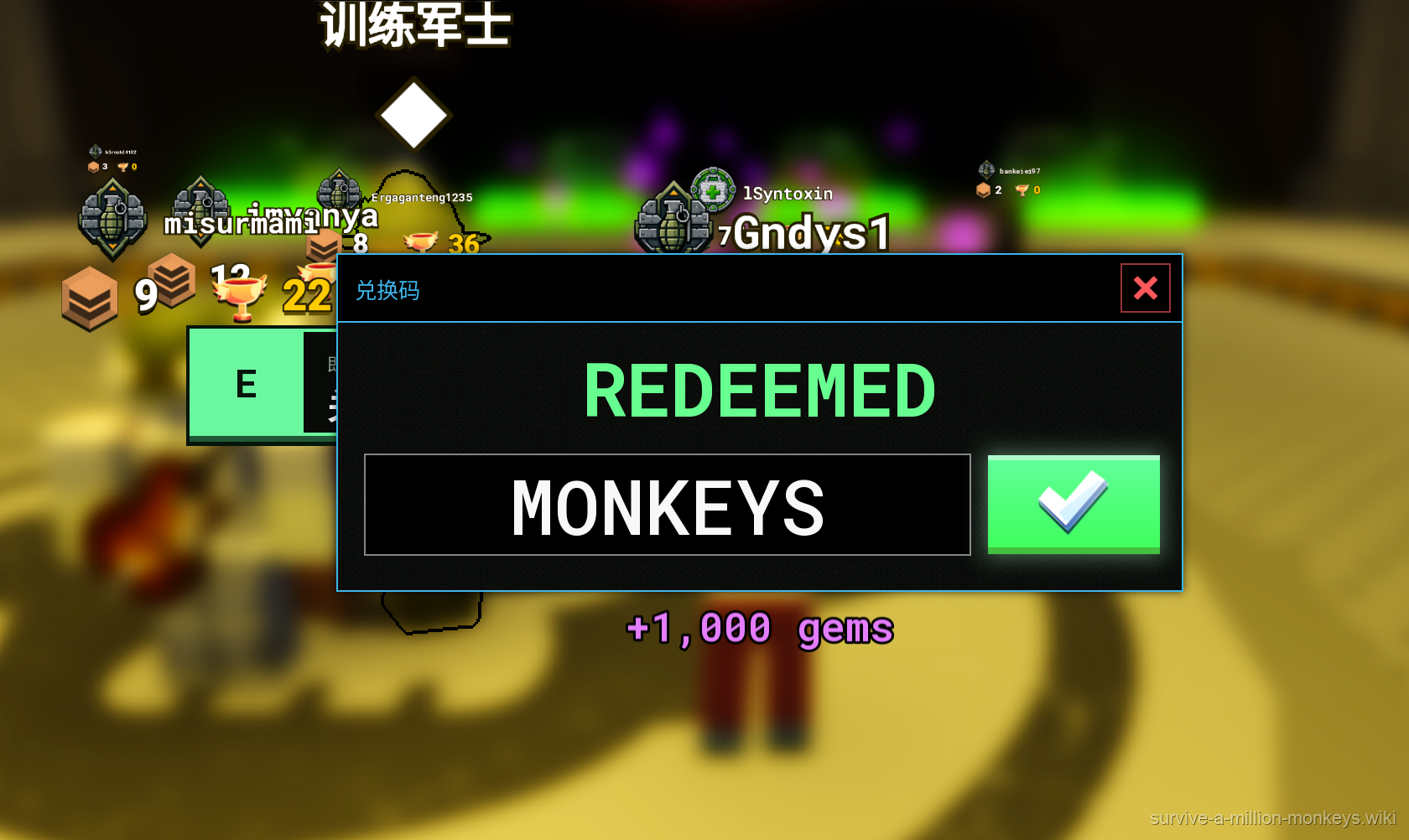
The supplied screenshot shows REDEEMED for MONKEYS and +1,000 gems.
User-supplied gameplay screenshot · Source / open if playback fails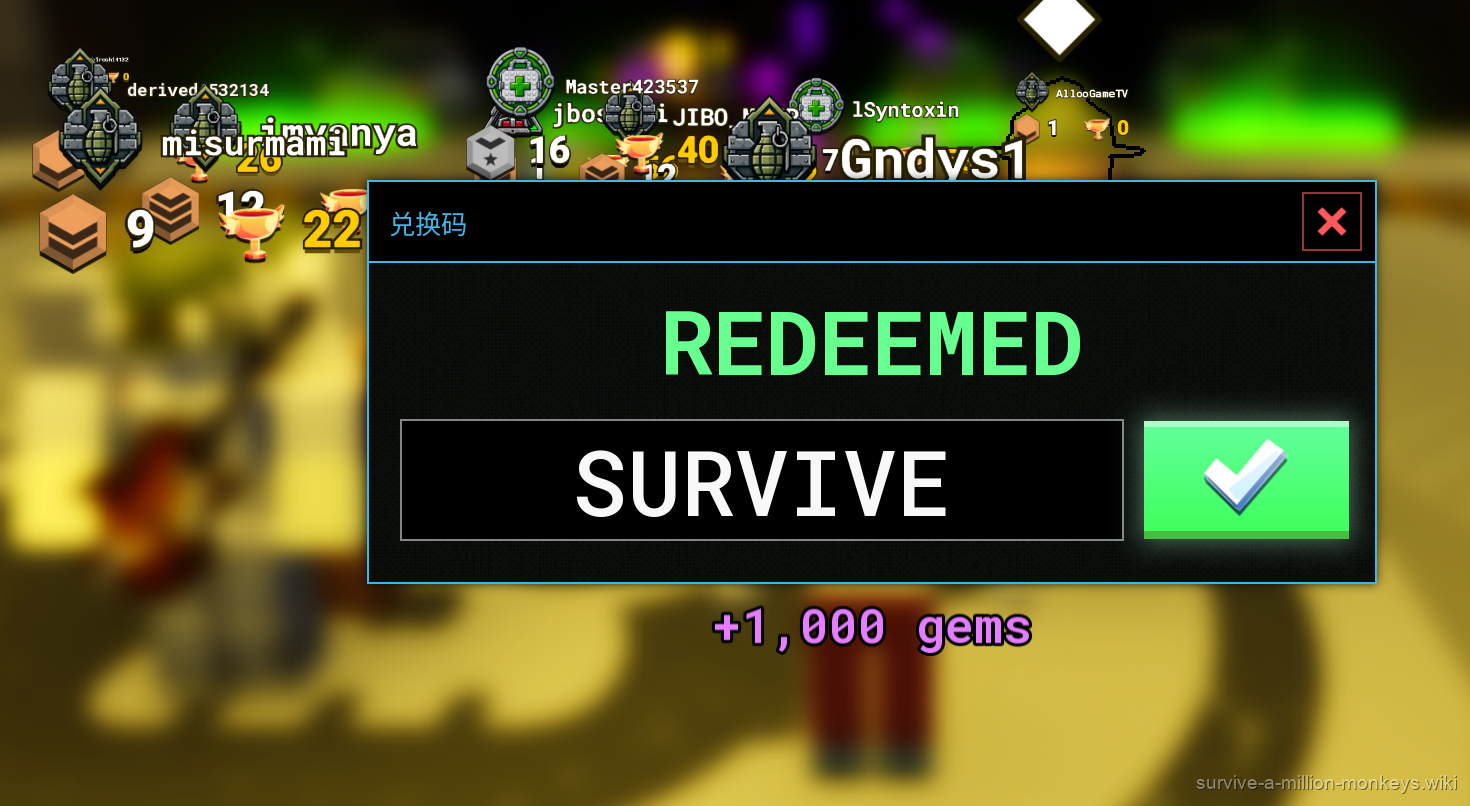
The supplied screenshot shows REDEEMED for SURVIVE and +1,000 gems.
User-supplied gameplay screenshot · Source / open if playback failsUnconfirmed candidate codes
| Code in transcript | Reported reward | Evidence / timestamp |
|---|---|---|
| release | Unknown | 05:59–06:30; success not confirmed |
| update | Unknown | 06:30–07:04; reward is a guess |
| million | Unknown | 07:04–07:37; success not confirmed |
Community video by ItsChalls. The supplied transcript reports code names and rewards; this wiki has not verified redemption frames or current validity. Upload date and game build are unknown. The embed endpoint is available, but playback has not been tested.
ItsChalls · Source / open if playback failsPlayback verification is pending or media is unavailable. The text answer and source link remain available.
If the code does not redeem
If you do not see a success result, first compare your input with 5MVISITS and remove accidental spaces. This is a general input check; lowercase acceptance has not been tested.
If it still fails, keep the exact message shown by the game and check the official game page for updates. The supplied images do not show expired, invalid or already-used errors, so this guide cannot identify the cause from an unsuccessful attempt alone.
Sources
- survive report 05:00–05:30
- monkeys report 05:30–05:59
- release candidate 05:59–06:30
- update candidate 06:30–07:04
- million candidate 07:04–07:37
- Mayhem redemption — supplied screenshot and player reward report
- 1MVISITS successful redemption screenshot
- MONKEYS successful redemption screenshot
- SURVIVE successful redemption screenshot
- User-supplied 5MVISITS redemption screenshots
- Roblox — MONKEYS announcement
- YouTube — supplied code transcript
- Pro Game Guides — code reports
- Destructoid — code reports